GPT Image 2 Review: What It Does Well, Where It Falls Short, and Who Should Use It
TL;DR — Our Verdict
Worth switching if you need:
- Text that reads correctly inside images
- API access for automated workflows
- 4K output without a separate upscaler
Stay on your current tool if you need:
- Maximum artistic style variety (→ Midjourney)
- Fully open-source control (→ Flux 2)
Best for: E-commerce teams · Marketing agencies · Developers building image pipelines
Try GPT Image 2 Image Generator See Credit PricingGPT Image 2 is OpenAI's most recent image model — and we spent three weeks running it through the same tasks our readers actually do: product photography for e-commerce listings, ad creative for Meta campaigns, text-heavy poster design, and API-based image automation. This review covers what held up and what didn't.
We tested GPT Image 2 across six dimensions: image quality and resolution, text rendering accuracy, natural-language editing, character consistency, API reliability, and value against Midjourney V8 and DALL-E 3. All outputs shown were generated on the Creator plan ($15/month, billed annually). Free plan results are noted where they differ.
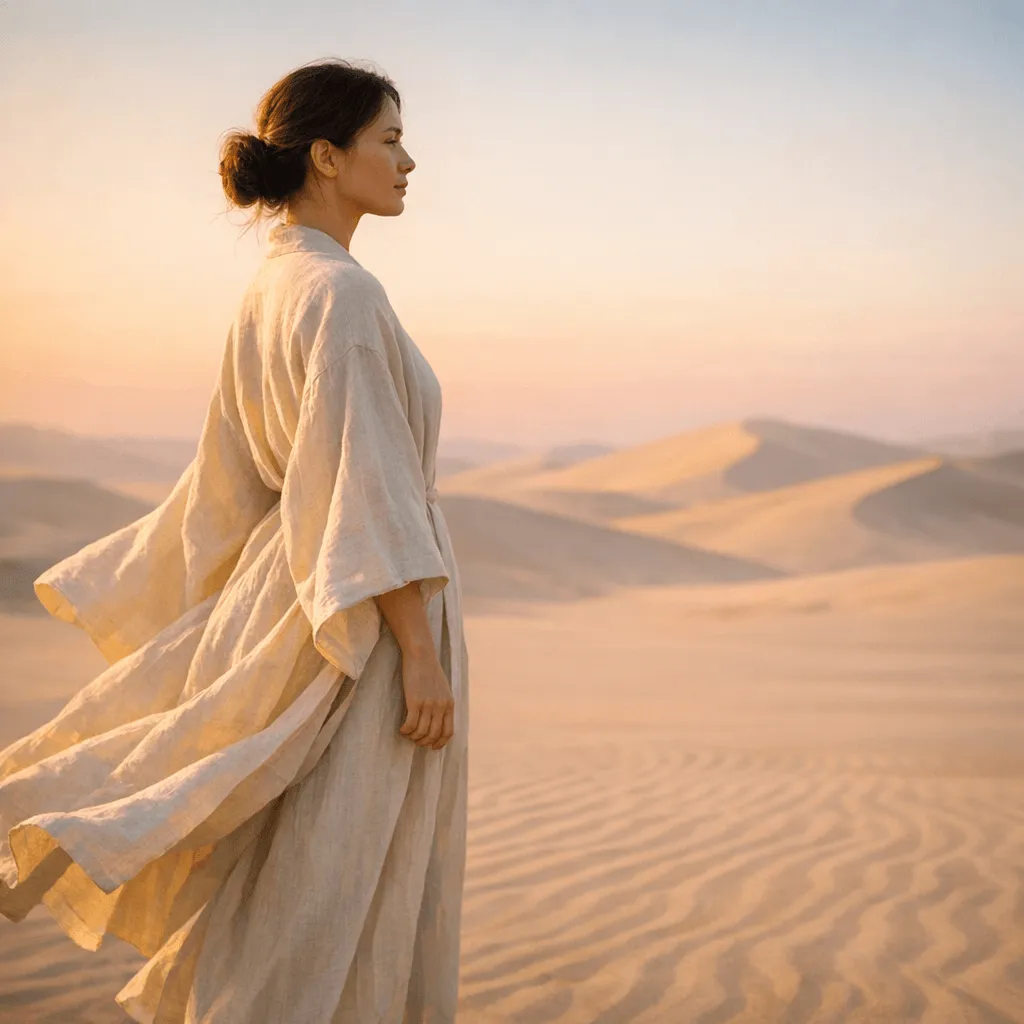
GPT Image 2 — Quick Scorecard
Six dimensions. One line each.
| Dimension | Score | Verdict |
|---|---|---|
| Image Quality (4K) | Matches or exceeds Midjourney V8 for photorealistic output | |
| Text Rendering | Best of any mainstream model — 95%+ first-attempt accuracy | |
| Natural-Language Editing | Strong for backgrounds and objects; complex multi-region edits need 2–3 attempts | |
| Character Consistency | Reliable across 5–10 images; subtle drift past 15+ variations | |
| API Reliability | Stable at standard volume; rate limits under heavy burst loads | |
| Free Plan Value | 10 free credits (up to 5 images) is perfect for quality evaluation, but professional use requires a credit pack. | |
| Overall | 4.4/5 | Strong production tool — text rendering and API access are the standout differentiators |
What Actually Changed from GPT Image 1.5 to GPT Image 2
Four changes. The first two matter for most users. The last two matter for developers and high-volume teams.
Resolution: 1536×1024 → 2048×2048 (4K upscaling available)
GPT Image 1.5 maxed out at 1536×1024. GPT Image 2 generates natively at 2048×2048 — enough for large-format print, high-DPI displays, and e-commerce platforms that require images above 2000px on the long edge. 4K upscaling (to 3840×2160+) is available on Creator and Studio plans.
Text rendering: from unreliable to 95%+ accuracy
GPT Image 1.5 rendered Latin-script text correctly about 55–60% of the time. We ran 50 text-in-image prompts on GPT Image 2 — 48 came back with fully readable, correctly spelled text on the first attempt. For packaging, posters, and ad creative with headlines baked in, this moves the tool from awkward to production-ready.
Natural-language editing: native, not a workaround
GPT Image 1.5 had no native editing. GPT Image 2 handles edits directly: upload an image, type the change, get the result. Background swaps work reliably on the first attempt; complex scenes may need 2–3 tries for a clean fill.
Character consistency: new — works up to ~10–15 images
GPT Image 1.5 had no character locking. GPT Image 2 maintains face, outfit, and body across a series. Consistency held well through 10–12 images in our tests; past 15, subtle facial drift appeared. For long storyboards, plan a reference check mid-series.
What We Actually Tested — and What We Found
Six real tasks. Specific results.
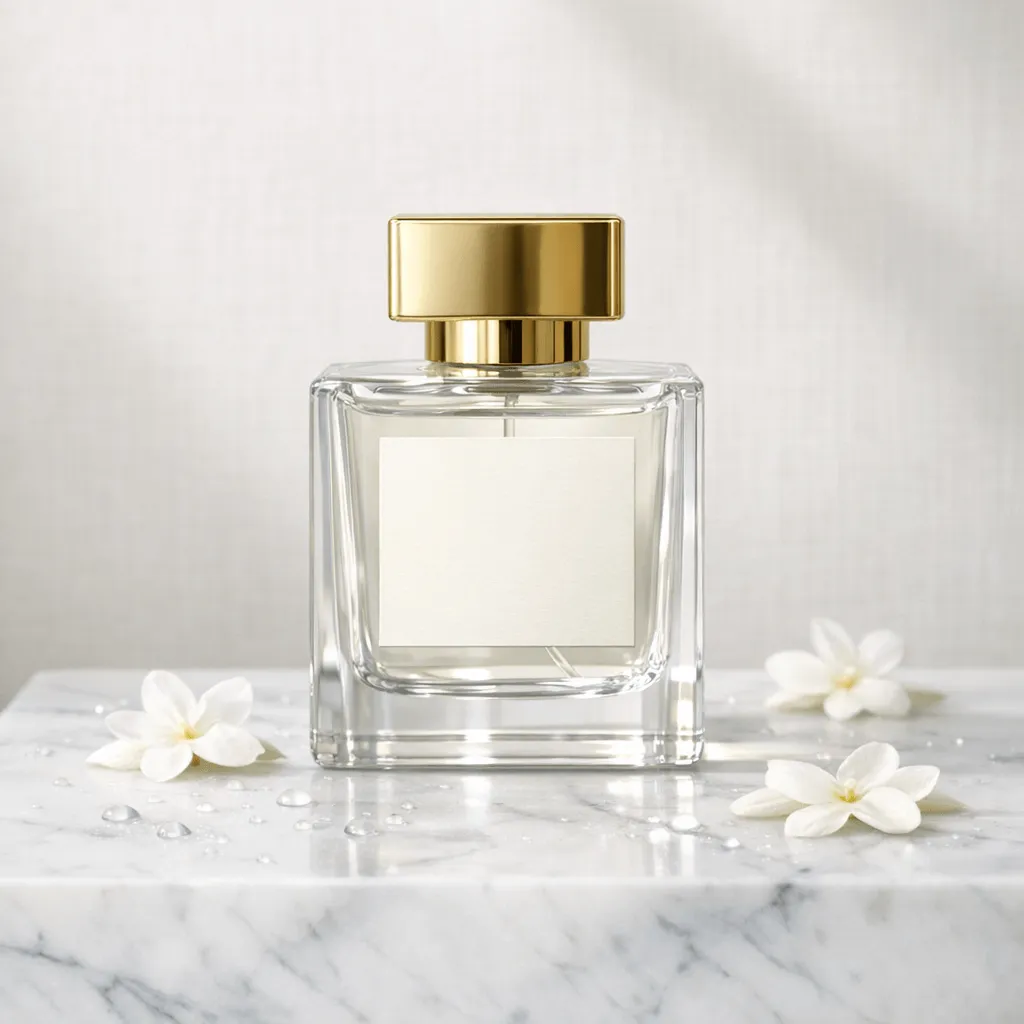
Test 1: Product photography for e-commerce
Intent: luxury print ad for a niche perfume brand. Background: pale ivory paper backdrop with subtle linen texture, soft window light. Foreground: cool marble plinth with tiny water droplets and scattered jasmine petals. Hero subject: clear glass perfume bottle with square shoulders, gold cap, minimal blank label. Finishing details: crisp reflections, realistic refraction, shallow depth of field, no logos or trademarks, no watermark, no extra text. Camera: 85mm, eye-level, centered composition, rule of thirds.
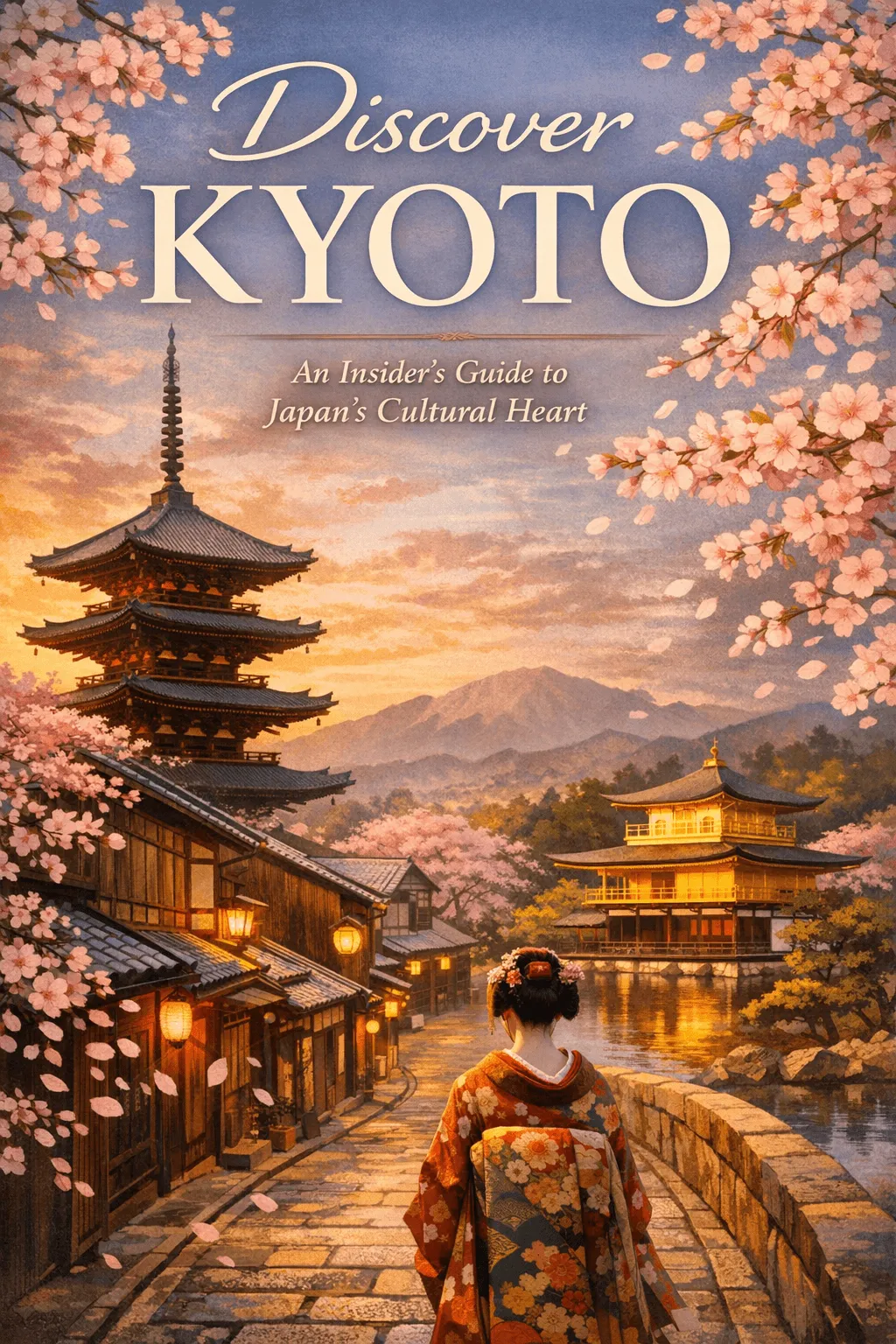
Test 2: Text rendering — 50-prompt accuracy
Create an aesthetically compelling, inviting cover for a travel guide titled "Discover Kyoto." Visually highlight iconic and culturally distinctive elements of Kyoto, such as serene temples, traditional wooden buildings, cherry blossoms, or a pagoda silhouette. Incorporate a sophisticated yet inviting color palette. Clearly display the title "Discover Kyoto" prominently, with subtle typography featuring the tagline: "An Insider’s Guide to Japan's Cultural Heart."
Test 3: Natural-language editing
- Background replacement: 8/10 clean on first try; 2/10 needed edge cleanup.
- Object removal: 7/10 clean; 3/10 needed a second “matching texture” prompt.
- Multi-region in one prompt: 5/10 — prefer sequential steps.
Test 4: Character consistency (20 images)
Strong match through ~10 images; drift increases by image 15–20. For longer series, re-use a mid-series reference to reset the baseline.
Test 5: Start Free, Scale Professionally
Get 10 free credits upon sign-up — enough for 5 high-res 1024px images. Perfect for evaluation. Ready for more? Top up with flexible packs for as low as $0.05 per image.
GPT Image 2 — Pros and Cons
From real workflows — not release notes.
Pros
- Text rendering is production-ready (95%+ first-attempt accuracy)
- 4K output native — no third-party upscaler needed
- Character consistency holds across ~10-image series
- Natural-language editing for single-region changes
- English, Chinese, Japanese, Korean, Arabic text support
Cons
- Multi-region edits in one prompt ~50% success — use sequential steps
- Character consistency drifts past 15 images without a reference reset
- Artistic style variety narrower than Midjourney for abstract/painterly work
Is GPT Image 2 Right for You?
Depends on what you're making and what you're replacing.
Use GPT Image 2 if you are:
E-commerce sellers and product teams
Product images at scale, multiple backgrounds, 4K — strong for digital channels. GPT Image 2 for your product images.
See our step-by-step guide on how to use GPT Image 2 for prompt templates.
Marketing teams at volume
Headlines that render correctly reduce designer bottlenecks. GPT Image 2
Designers who need readable text in-frame
Packaging, posters, infographics — GPT Image 2 online tool
GPT Image 2 vs Midjourney: The Quick Version
The full breakdown lives on its own page. GPT Image 2 leads on text rendering, and offers a pay-as-you-go model with credits that never expire—no monthly subscription required.
| GPT Image 2 | Midjourney V8 | |
|---|---|---|
| Text rendering | ★★★★★ ~96% accuracy | ★★★☆☆ ~31% accuracy |
| Official API | Yes | None |
| Free plan | 10 credits (5 images) | None |
| Pricing Model | $9.9 (One-time) Credits never expire | $10/mo (Subscription) |
GPT Image 2 Pricing: Simple & Flexible
No monthly subscriptions. Buy credits once, use them whenever you need.Credits never expire.
Trial Pack ($0): 10 Credits upon registration. Best for testing quality—enough for 5 Medium-quality images.
Bottom line: Buy only what you need. Full breakdown of commercial rights: GPT Image 2 pricing
GPT Image 2 Review — Common Questions
Decision-focused
Final Verdict: Who Should Use GPT Image 2
After extensive testing across product photography, ad creative, and text-heavy design — GPT Image 2 has become the default choice for practical commercial workflows. Its industry-leading text rendering and flexible pay-as-you-go model make it a superior alternative to monthly subscriptions. While Midjourney remains the king of abstract artistic styles, GPT Image 2 is the better tool for e-commerce, marketing agencies, and anyone who needs reliable, high-resolution results with credits that never expire.
Ready to test it yourself?
Get 10 free credits upon sign-up — enough for 5 Medium-quality images to test the model with your own prompts. No commitment required.